Each January, I find myself pausing for a beat—wondering how I really want the next year to look. I might scribble a few resolutions, but it’s the process of building a vision board, especially a digital one, that actually turns my dreams into something I can see and feel every day. After working with countless tools and learning from frameworks like the Wheel of Life, I’ve seen how powerfully digital vision boards can help transform scattered hopes into steady, focused action. Here’s how I make this practice work for my yearly goals, and why I think it matters so much.
Why use digital vision boards for goal setting?
When I first made a traditional vision board, it ended up collecting dust in a drawer. Out of sight—out of mind. A digital vision board, on the other hand, sits right on my devices, nudging me every morning. That’s only one benefit.
- Digital vision boards are always accessible. I save mine to my phone, tablet, and even set a version as my desktop background.
- They are quick to update as life shifts during the year.
- Privacy matters: I can keep my goals personal or share them only with people I trust.
- Multimedia brings my intentions to life—images, inspiring quotes, voice notes, and even short videos can live together easily.
With platforms like Wheel of Life, combining these visual cues with tools for reflection, progress tracking, and balanced self-assessment makes the goal-setting process much more meaningful. I notice my intentions don’t fade into the background, but stay top of mind, much like a gentle daily reminder to check in with myself.
The right vision board makes your dreams hard to ignore.
Getting clear before building your board
Before opening any app or gathering images, I take a moment to step back. What do I want the next year to look like, really? I assess my life across the areas that matter most to me: health, relationships, finances, personal growth, purpose, and more. Tools like Wheel of Life help me see which pieces feel strong, and which might need loving attention.
To map this out, I journal freely in response to questions like:
- What brought me joy or pride last year?
- Which areas left me frustrated or drained?
- Who do I want to become twelve months from now?
This self-inquiry gives real substance to what I later choose to visualize. Once I have a sense of my priorities and focus, it’s time to gather the building blocks of my vision board.
How I create my digital vision board for the year
Picking my themes and categories
Inspired by the Wheel of Life method, I pick up to eight core themes that represent what I want to nurture. It helps me keep my board balanced, not just focused on a single area like career or finances.
For each theme, I jot down a word, phrase, or intention. For example: “Strong body,” “Financial peace,” “Creative flow,” “Deep connections.” Only meaningful words make the cut.
Choosing the right visuals
I spend time searching for images, graphics, or even personal photos that capture the mood and energy of each priority. I avoid overcrowding each section—one clear, bold visual per theme is enough.
- Photos that evoke a feeling, not just a literal outcome.
- Quotes that instantly speak to my motivation.
- Short affirmations or words typed in my favorite font.
- Optional: symbols or color schemes that reflect each category. A splash of blue for calm, green for growth, etc.
When using digital tools, I can easily resize, adjust, and move things around until it feels just right. I love the flexibility.
Bringing it all together in your chosen app
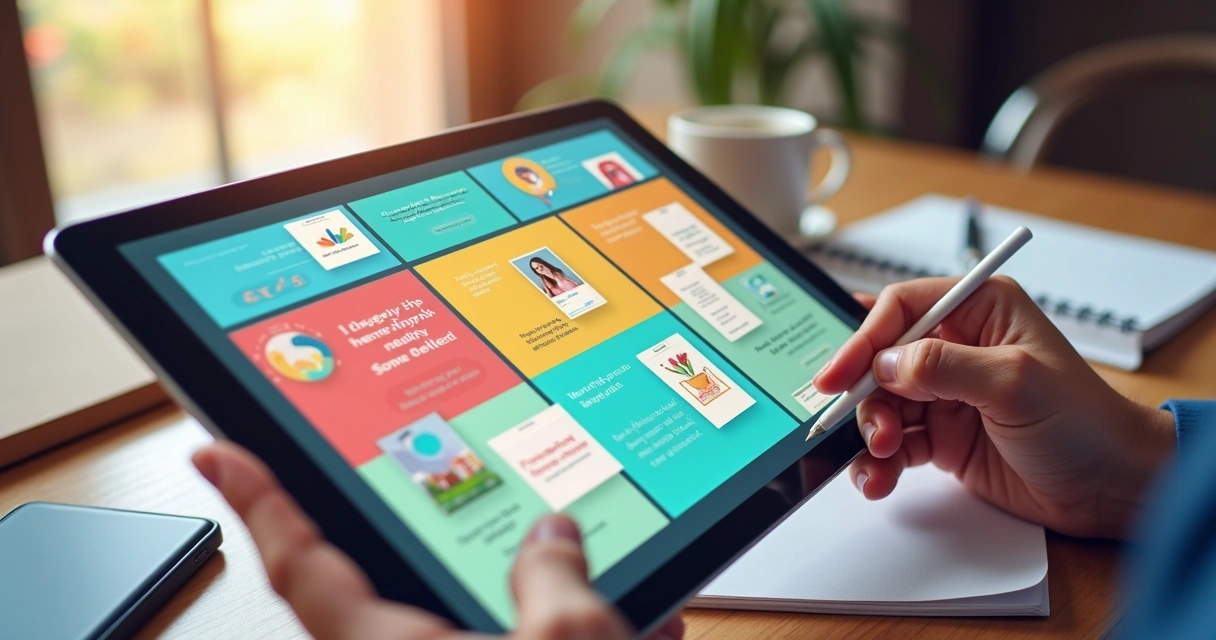
There’s no need to get overwhelmed by choice. Any app or even a blank slide presentation can serve as your base. In my experience, simplicity helps me focus on intention over perfection. I place my images and words in areas dedicated to each theme, add purposeful colors, and arrange them so my eye moves easily from one to the next. Sometimes, I add audio notes to remind myself why I picked that theme.
Progress comes from intention, not from perfection.
Making your board a living tool
One mistake I made early on was leaving my vision board unchecked for months. With digital boards, the opportunity is to actually use them. I revisit my board every week or month, noticing what’s shifted, which images still spark excitement, and whether anything feels out of date.
I also connect my board to my planning process using tools like Wheel of Life. When I see an area falling behind, I reflect on the corresponding visual on my board and ask myself: what small step can I take this week? This loop between vision and action has helped me move from wishful thinking to steady progress.
Keeping your goals visible and actionable
Visibility is everything. I set my vision board as my smartphone lock screen or desktop wallpaper. Some friends keep theirs as the cover photo for a private folder or journal app. A quick glimpse gives a burst of clarity, especially during moments of temptation or discouragement.
When I update my board, I save snapshots. It’s satisfying to look back and notice how images and intentions have evolved with me. Some of these reflections fuel my personal journaling, or even get shared in coaching sessions, similar to how Wheel of Life allows exporting reports for review.

Tips to keep your vision board working all year
Through years of testing and tweaking, I found that a few habits make my yearly digital vision board much more than just a pretty collage:
- Place the board somewhere you will see it often—multiple copies if possible, across devices.
- Pair it with monthly or weekly reviews, using something like Wheel of Life or another reflection method.
- Update it mid-year or seasonally. Life changes—and your board can too.
- Connect your visuals with simple action steps. Assign “next week” tasks inspired directly by what’s on your board.
- Share all or part of your board with an accountability partner, coach, or trusted group. Speaking your vision aloud makes it more real.
- Dive deeper with related readings, like those you’ll find in sections about goal setting or personal organization.
Connecting your board with broader self-knowledge
My strongest boards come from first knowing myself, not just collecting goals from outside pressure. Following insights from Wheel of Life, I try to make sure my vision resonates with how I genuinely want to live, not just what others expect of me. If I’m tracking my satisfaction in different life areas and seeing results over time, the board helps me notice where I’m growing, or where I need more attention.
Integrating your board into a routine of self-reflection truly multiplies its effects. Balance, clarity, and intention feed each other.
Conclusion
In my experience, using digital vision boards for yearly goal setting makes my aspirations both visible and achievable. When I line up images, words, and themes inspired by frameworks like Wheel of Life, I see real change. The practice keeps me oriented toward what matters, gently inviting me to refine my path as the year goes on.
If you’re ready to build a more conscious and balanced direction for your year, I suggest exploring more about self-reflection and personal growth at Wheel of Life. For more practical advice, you might also appreciate resources like this inspiring reflection guide or personal journeys described in this experience. Try creating your own digital board—and let intention guide you every step of the way.
Frequently asked questions
What is a digital vision board?
A digital vision board is a visual collage made using digital tools, featuring images, quotes, and sometimes audio or short videos, that represent your goals, dreams, and intentions for a specific period—often the year ahead. Unlike traditional paper boards, digital versions are flexible, easy to update, and accessible on various devices, making them more dynamic and interactive for ongoing reflection and tracking.
How to create a digital vision board?
Start by identifying your top life themes or areas you wish to focus on, inspired by frameworks like Wheel of Life. Collect images, quotes, or words that clearly represent your goals or the feelings you wish to experience. Use a simple app or slideshow tool to arrange these elements into a visually appealing layout, with each section dedicated to a different life area or intention. Keep your board uncluttered and personally meaningful, then save it somewhere easy to see—such as your device wallpaper or a favorite folder.
Which apps are best for vision boards?
The best app is one that feels comfortable and easy to use for you. Any tool that lets you arrange images, text, and perhaps audio or video clips can serve as a vision board platform. Some people prefer specialized vision board apps, while others make fantastic boards using simple photo editors or slide presentations. The key is to choose one that lets you update and customize as needed, supporting your ongoing self-reflection process. Many tools, like those found in Wheel of Life, offer customization and reflection features directly tied to goal setting.
Can digital vision boards boost motivation?
Yes, digital vision boards can increase motivation by making your goals visible and emotionally engaging. When you see inspiring images and messages that truly reflect your priorities, you’re more likely to feel connected and committed to your goals. Regular interaction with your vision board keeps your intentions top of mind and helps sustain momentum all year.
How often should I update my board?
I recommend revisiting and possibly updating your digital vision board at least once per quarter, or whenever you notice changes in your priorities, intentions, or life circumstances. Seasonal refreshes or mid-year adjustments can keep your board relevant and meaningful. Regular updates also offer space to reflect and celebrate progress, which is an approach at the core of tools like Wheel of Life.